








Compress image
Any size from 20 KB to 1 MB, many at once.


Exact pixels, cm, mm or inches, at the DPI you need. Pick a passport or visa and its size is set for you, with a guide for where your head goes. Then a print sheet, or see it at real size.
Drop your photo here
or paste it (Ctrl+V) · JPG, PNG, WebP up to 25 MB
Add a photo, or type a size. The lock keeps your photo's shape.
Photo sizes by country
125 passport, visa, ID, exam and marketplace sizes from 95 countries, read from each official rule. 35 × 45 mm is the most common: 52 countries use it. Tap Use this and the tool above is set.
 UK passport photo
35 × 45 mm
1.38 × 1.77 in · 413 × 531 px at 300 DPI
Online: at least 600 × 750 px, 50 KB – 10 MB
Schengen visa photo
35 × 45 mm
1.38 × 1.77 in · 413 × 531 px at 300 DPI
Online: at least 240 × 320 px, up to 120 KB
 Canadian passport photo
50 × 70 mm
1.97 × 2.76 in · 591 × 827 px at 300 DPI
Online: 1200 × 1800 – 3000 × 4500 px, 200 KB – 5 MB
Drawn to the same scale · tap one to use it
Printed size, the pixels and file size for uploading, and how tall your head should be.
125 sizes shown
| # | Country / place | Document | Printed size | Online upload | Head height | Action |
|---|---|---|---|---|---|---|
| 1 |  United StatesUS passport | US passport | 51 × 51 mm | Any pixels54 KB – 10 MB | 25–35 mm | |
| 2 | United StatesUS visa | US visa | 51 × 51 mm | 600 × 600 – 1200 × 1200 pxup to 240 KB | 50–69 % | |
| 3 | Schengen areaSchengen visa | Schengen visa | 35 × 45 mm | at least 240 × 320 pxup to 120 KB | 32–36 mm | |
| 4 | United KingdomUK passport | UK passport | 35 × 45 mm | at least 600 × 750 px50 KB – 10 MB | 29–34 mm | |
| 5 |  IndiaIndian passport | Indian passport | 35 × 45 mm | Printed only | 32–36 mmInternational standard | |
| 6 | CanadaCanadian passport | Canadian passport | 50 × 70 mm | 1200 × 1800 – 3000 × 4500 px200 KB – 5 MB | 31–36 mm | |
| 7 | United StatesUS DV lottery | US DV lottery | — | 600 × 600 pxup to 240 KB | 50–69 % | |
| 8 |  AustraliaAustralian passport | Australian passport | 35 × 45 mm | Printed only | 32–36 mm | |
| 9 | IndiaIndia PAN card | India PAN card | 25 × 35 mm | 197 × 276 px (200 DPI)up to 50 KB | 25–28 mmInternational standard | |
| 10 | IndiaIndia OCI card | India OCI card | 51 × 51 mm | 200 × 200 – 900 × 900 pxup to 200 KB | 32–36 mmInternational standard | |
| 11 | AustraliaAustralian visa | Australian visa | 35 × 45 mm | 1200 × 1600 px70 KB – 3.5 MB | 32–36 mm | |
| 12 | IndiaNEET (UG) | NEET (UG) | 101.6 × 152.4 mm | Any pixels10 KB – 200 KB | — | |
| 13 |  AlgeriaAlgerian passport | Algerian passport | 35 × 45 mm | Printed only | 32–36 mmInternational standard | |
| 14 |  AndorraAndorran passport | Andorran passport | 35 × 45 mm | Printed only | 32–36 mmInternational standard | |
| 15 |  Antigua and BarbudaAntigua and Barbuda passport | Antigua and Barbuda passport | 51 × 51 mm | Printed only | 25–35 mm | |
 ArmeniaArmenian passport | Armenian passport | 35 × 45 mm | Printed only | 32–36 mmInternational standard | ||
 AustriaAustrian passport | Austrian passport | 35 × 45 mm | Printed only | 32–36 mmInternational standard | ||
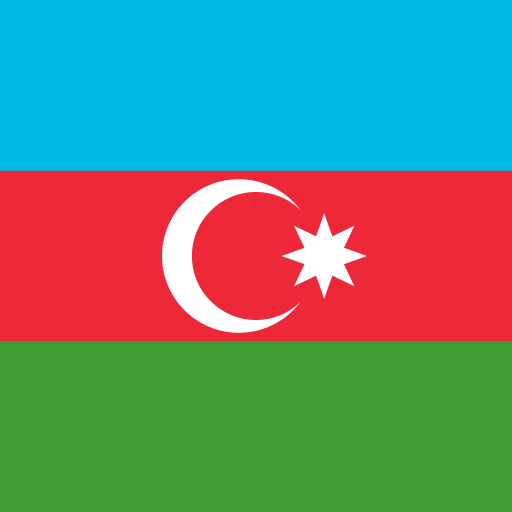 AzerbaijanAzerbaijani passport | Azerbaijani passport | 30 × 40 mm | Printed only | 28–32 mmInternational standard | ||
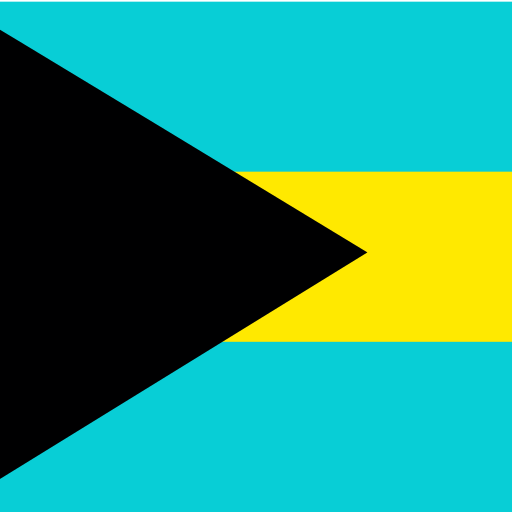 BahamasBahamian passport | Bahamian passport | 51 × 51 mm | 1200 × 1200 px | 32–36 mmInternational standard | ||
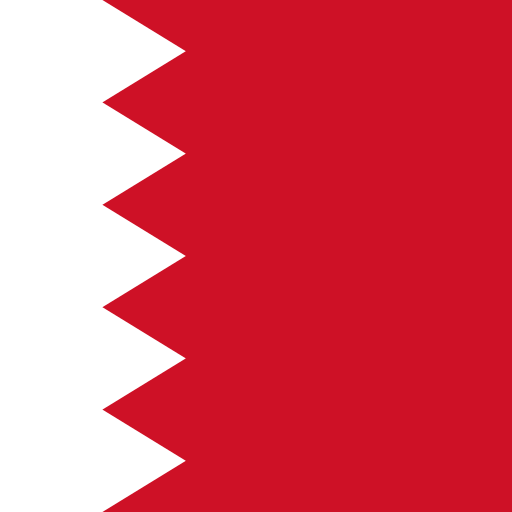 BahrainBahraini passport | Bahraini passport | 40 × 60 mm | Printed only | 32–36 mmInternational standard | ||
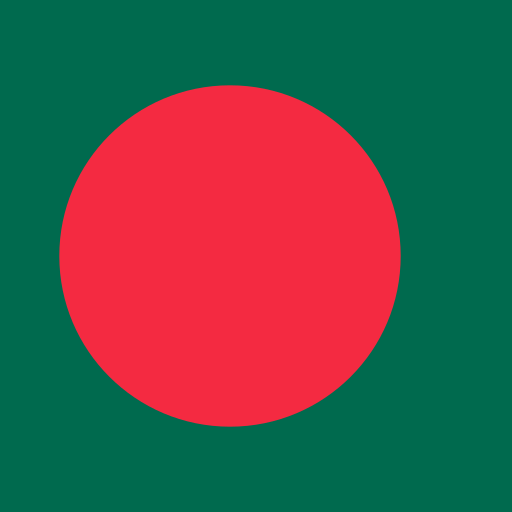 BangladeshBangladeshi e-passport | Bangladeshi e-passport | 89 × 127 mm | Printed only | — | ||
 BarbadosBarbadian passport | Barbadian passport | 50 × 50 mm | Printed only | 32–36 mmInternational standard | ||
 BelarusBelarusian passport | Belarusian passport | 40 × 50 mm | Printed only | 32–35 mm | ||
 BelgiumBelgian passport | Belgian passport | 35 × 45 mm | Printed only | 32–36 mmInternational standard | ||
 BelizeBelizean passport | Belizean passport | 51 × 51 mm | Printed only | 70–80 % | ||
 BeninBenin passport | Benin passport | 35 × 45 mm | Printed only | 32–36 mmInternational standard | ||
 BhutanBhutanese passport | Bhutanese passport | 35 × 45 mm | Printed only | 70–80 % | ||
 BoliviaBolivian passport | Bolivian passport | 35 × 45 mm | Printed only | 32–36 mmInternational standard | ||
 BotswanaBotswana passport | Botswana passport | 37 × 52 mm | Printed only | 32–36 mmInternational standard | ||
 BrazilBrazilian passport | Brazilian passport | 50 × 70 mm | Printed only | 32–36 mmInternational standard | ||
 ChinaChinese passport | Chinese passport | 33 × 48 mm | Printed only | 28–33 mm | ||
 CroatiaCroatian passport | Croatian passport | 35 × 45 mm | Printed only | 32–36 mmInternational standard | ||
 CubaCuban passport | Cuban passport | 45 × 45 mm | Printed only | 32–36 mmInternational standard | ||
 DenmarkDanish passport | Danish passport | 35 × 45 mm | Printed only | 30–36 mm | ||
 DjiboutiDjiboutian passport | Djiboutian passport | 35 × 45 mm | Printed only | 32–36 mmInternational standard | ||
 DominicaDominican (Dominica) passport | Dominican (Dominica) passport | 38 × 45 mm | Printed only | 28–32 mm | ||
 EgyptEgyptian passport | Egyptian passport | 40 × 60 mm | Printed only | 32–36 mmInternational standard | ||
 EritreaEritrean passport | Eritrean passport | 35 × 45 mm | Printed only | 32–36 mmInternational standard | ||
 EstoniaEstonian passport | Estonian passport | — | at least 1300 × 1625 px1 MB – 5 MB | 70–80 % | ||
 EthiopiaEthiopian passport | Ethiopian passport | 30 × 40 mm | Printed only | 28–32 mmInternational standard | ||
 FijiFijian passport | Fijian passport | 35 × 45 mm | Printed only | 70–80 % | ||
 FinlandFinnish passport | Finnish passport | 36 × 47 mm | 500 × 653 pxup to 250 KB | 32–36 mm | ||
 FranceFrench passport & ID card | French passport & ID card | 35 × 45 mm | Printed only | 32–36 mm | ||
 GermanyGerman passport & ID | German passport & ID | 35 × 45 mm | Printed only | 70–80 % | ||
 GrenadaGrenadian passport | Grenadian passport | 44 × 57 mm | Printed only | 32–36 mmInternational standard | ||
 GuyanaGuyanese passport | Guyanese passport | 35 × 45 mm | Printed only | 32–36 mmInternational standard | ||
 Hong KongHong Kong SAR passport | Hong Kong SAR passport | 40 × 50 mm | at least 1200 × 1600 pxup to 5 MB | 32–36 mm | ||
 IranIranian passport | Iranian passport | 30 × 40 mm | Printed only | 28–32 mmInternational standard | ||
 IraqIraqi passport | Iraqi passport | 35 × 45 mm | Printed only | 32–36 mmInternational standard | ||
 IrelandIrish passport | Irish passport | 35 × 45 mm | at least 715 × 951 pxup to 9 MB | 32–36 mmInternational standard | ||
 IsraelIsraeli passport | Israeli passport | 51 × 51 mm | Printed only | 32–36 mmInternational standard | ||
 ItalyItalian passport | Italian passport | 35 × 45 mm | Printed only | 70–80 % | ||
 JamaicaJamaican passport | Jamaican passport | 35 × 45 mm | Printed only | 25–35 mm | ||
 JapanJapanese passport | Japanese passport | 35 × 45 mm | Printed only | 32–36 mm | ||
 JordanJordanian passport | Jordanian passport | 35 × 45 mm | Printed only | 32–36 mmInternational standard | ||
 KuwaitKuwaiti passport | Kuwaiti passport | 40 × 50 mm | Printed only | 32–36 mmInternational standard | ||
 LebanonLebanese passport | Lebanese passport | 35 × 45 mm | Printed only | 32–36 mmInternational standard | ||
 LiberiaLiberian passport | Liberian passport | 50.8 × 50.8 mm | Printed only | 25.4–34.9 mm | ||
 LithuaniaLithuanian passport | Lithuanian passport | 40 × 60 mm | Printed only | 32–36 mmInternational standard | ||
 LuxembourgLuxembourg passport | Luxembourg passport | 35 × 45 mm | Printed only | 32–36 mm | ||
 MalaysiaMalaysian passport | Malaysian passport | 35 × 50 mm | Printed only | 25–30 mm | ||
 MaliMalian passport | Malian passport | 35 × 45 mm | Printed only | 32–36 mmInternational standard | ||
 MaltaMaltese passport | Maltese passport | 30 × 40 mm | Printed only | 70–80 % | ||
 Marshall IslandsMarshall Islands passport | Marshall Islands passport | 51 × 51 mm | Printed only | 32–36 mmInternational standard | ||
 MonacoMonegasque passport | Monegasque passport | 35 × 45 mm | Printed only | 32–36 mmInternational standard | ||
 MongoliaMongolian passport | Mongolian passport | 35 × 45 mm | Printed only | 32–36 mmInternational standard | ||
 MoroccoMoroccan passport | Moroccan passport | 35 × 45 mm | Printed only | 32–36 mmInternational standard | ||
 MyanmarMyanmar passport | Myanmar passport | 40 × 60 mm | Printed only | 32–36 mmInternational standard | ||
 NamibiaNamibian passport | Namibian passport | 35 × 45 mm | Printed only | 32–36 mmInternational standard | ||
 NauruNauruan passport | Nauruan passport | 35 × 45 mm | Printed only | 70–80 % | ||
 NepalNepali e-passport | Nepali e-passport | 35 × 45 mm | Printed only | 32–36 mmInternational standard | ||
 NetherlandsDutch passport & ID card | Dutch passport & ID card | 35 × 45 mm | Printed only | 26–30 mm | ||
 New ZealandNew Zealand passport | New Zealand passport | — | 900 × 1200 – 4500 × 6000 px250 KB – 5 MB | — | ||
 NigeriaNigerian passport | Nigerian passport | 51 × 51 mm | Printed only | 32–36 mmInternational standard | ||
 PakistanPakistani passport | Pakistani passport | — | 350 × 467 pxup to 3 MB | — | ||
 Papua New GuineaPapua New Guinea passport | Papua New Guinea passport | 35 × 45 mm | Printed only | 32–36 mmInternational standard | ||
 ParaguayParaguayan passport | Paraguayan passport | 50 × 70 mm | Printed only | 32–36 mmInternational standard | ||
 PolandPolish passport | Polish passport | 35 × 45 mm | Printed only | 70–80 % | ||
 QatarQatari passport | Qatari passport | 35 × 48 mm | Printed only | 32–36 mmInternational standard | ||
 Saint Kitts and NevisSaint Kitts and Nevis passport | Saint Kitts and Nevis passport | 35 × 45 mm | Printed only | 70–80 % | ||
 Saint LuciaSaint Lucian passport | Saint Lucian passport | 51 × 51 mm | Printed only | 32–36 mmInternational standard | ||
 SingaporeSingapore passport & ICA | Singapore passport & ICA | 35 × 45 mm | 400 × 514 pxup to 8 MB | 32–36 mmInternational standard | ||
 Solomon IslandsSolomon Islands passport | Solomon Islands passport | 45 × 55 mm | Printed only | 32–36 mmInternational standard | ||
 South AfricaSouth African passport | South African passport | 35 × 45 mm | Printed only | 70–80 % | ||
 South KoreaSouth Korean passport | South Korean passport | 35 × 45 mm | Printed only | 32–36 mm | ||
 SpainSpanish passport | Spanish passport | 26 × 32 mm | Printed only | 23–26 mmInternational standard | ||
 Sri LankaSri Lankan passport | Sri Lankan passport | 35 × 45 mm | Printed only | 32–36 mmInternational standard | ||
 TaiwanTaiwan (ROC) passport | Taiwan (ROC) passport | 35 × 45 mm | at least 413 × 531 pxup to 5 MB | 32–36 mm | ||
 TajikistanTajik passport | Tajik passport | 35 × 45 mm | Printed only | 32–36 mmInternational standard | ||
 Trinidad and TobagoTrinidad and Tobago passport | Trinidad and Tobago passport | 50.8 × 50.8 mm | Printed only | 25.4–34.9 mm | ||
 TunisiaTunisian passport | Tunisian passport | 35 × 45 mm | Printed only | 32–36 mmInternational standard | ||
 TürkiyeTurkish passport | Turkish passport | 50 × 60 mm | Printed only | 32–36 mmInternational standard | ||
 TurkmenistanTurkmen passport | Turkmen passport | 30 × 40 mm | Printed only | 28–32 mmInternational standard | ||
 TuvaluTuvalu passport | Tuvalu passport | 38.1 × 50.8 mm | Printed only | 32–36 mmInternational standard | ||
 UkraineUkrainian passport for travelling abroad | Ukrainian passport for travelling abroad | 100 × 150 mm | Printed only | — | ||
 United Arab EmiratesUAE passport | UAE passport | 35 × 45 mm | Printed only | 32–36 mmInternational standard | ||
 UzbekistanUzbek biometric passport | Uzbek biometric passport | 35 × 45 mm | Printed only | 32–36 mmInternational standard | ||
 VanuatuVanuatu passport | Vanuatu passport | 35 × 45 mm | Printed only | 32–36 mmInternational standard | ||
 VietnamVietnamese passport | Vietnamese passport | 40 × 60 mm | Printed only | 32–36 mmInternational standard | ||
 YemenYemeni passport | Yemeni passport | 40 × 60 mm | Printed only | 32–36 mm | ||
 ZimbabweZimbabwean passport | Zimbabwean passport | 35 × 45 mm | Printed only | 32–36 mmInternational standard | ||
| CanadaCanada visitor visa | Canada visitor visa | 35 × 45 mm | Printed only | 31–36 mm | ||
| IndiaIndian regular (paper) visa | Indian regular (paper) visa | 50 × 50 mm | Any pixels10 KB – 300 KB | 25–35 mm | ||
| JapanJapanese visa | Japanese visa | 35 × 45 mm | Printed only | 32–36 mmInternational standard | ||
| New ZealandNew Zealand visa | New Zealand visa | — | 900 × 1200 – 2250 × 3000 px512 KB – 3 MB | 70–80 % | ||
| SingaporeSingapore visa | Singapore visa | — | 400 × 514 pxup to 60 KB | — | ||
| South KoreaSouth Korean visa | South Korean visa | 35 × 45 mm | Printed only | 32–36 mmInternational standard | ||
| CanadaCanadian citizenship application | Canadian citizenship application | 50 × 70 mm | at least 420 × 540 pxup to 4 MB | 31–36 mm | ||
| CanadaCanadian permanent resident (PR) card | Canadian permanent resident (PR) card | 50 × 70 mm | 715 × 1000 – 2000 × 2800 pxup to 4 MB | 31–36 mm | ||
| GermanyGerman ID card (Personalausweis) | German ID card (Personalausweis) | 35 × 45 mm | Printed only | 32–36 mm | ||
| SpainSpanish national ID (DNI) | Spanish national ID (DNI) | 26 × 32 mm | Printed only | 23–26 mmInternational standard | ||
| IndiaCTET | CTET | 35 × 45 mm | Any pixels10 KB – 100 KB | 32–36 mmInternational standard | ||
| IndiaGATE 2027 | GATE 2027 | 35 × 45 mm | 200 × 260 – 530 × 690 px5 KB – 600 KB | 32–36 mmInternational standard | ||
| IndiaIIT JAM 2027 | IIT JAM 2027 | 35 × 45 mm | 240 × 320 – 480 × 640 px50 KB – 200 KB | 32–36 mmInternational standard | ||
| IndiaIndia Post GDS online engagement | India Post GDS online engagement | — | 320 × 400 px30 KB – 100 KB | — | ||
| IndiaLIC AAO | LIC AAO | 35 × 45 mm | 200 × 230 px20 KB – 50 KB | 32–36 mmInternational standard | ||
| IndiaMHT-CET 2026 (PCM & PCB) | MHT-CET 2026 (PCM & PCB) | 50 × 50 mm | Any pixels100 KB – 5 MB | 32–36 mmInternational standard | ||
| IndiaRBI Assistant | RBI Assistant | 35 × 45 mm | 200 × 230 px20 KB – 50 KB | 32–36 mmInternational standard | ||
| IndiaSBI Junior Associate | SBI Junior Associate | 35 × 45 mm | 200 × 230 px20 KB – 50 KB | 32–36 mmInternational standard | ||
| eBayeBay listing | eBay listing | — | at least 1600 × 1600 pxup to 12 MB | — | ||
| EtsyEtsy listing | Etsy listing | — | at least 2000 × 2000 pxup to 1 MB | — | ||
| Google ShoppingGoogle Shopping product | Google Shopping product | — | at least 1500 × 1500 pxup to 16 MB | — | ||
| ShopifyShopify store product | Shopify store product | — | 2048 × 2048 pxup to 20 MB | — | ||
| WalmartWalmart Marketplace main | Walmart Marketplace main | — | at least 2200 × 2200 pxup to 5 MB | — | ||
| ZalandoZalando packshot | Zalando packshot | — | at least 1801 × 2600 pxup to 20 MB | — |
Showing 1–15 of 125
Size converter
Type a size in any unit and see it in every other one, with the pixels a printer needs. Pixels depend on the DPI: at 300 DPI, 1 inch is 300 pixels and 1 mm is about 11.8.
Pixels at other DPIs
35 × 45 mm is the photo size of 52 countries.Who uses it
| Size | Used by | Millimetres | Centimetres | Inches | Pixels at 300 DPI | Pixels at 600 DPI | Action |
|---|---|---|---|---|---|---|---|
| 35 × 45 mm | 52 countries | 35 × 45 mm | 3.5 × 4.5 cm | 1.38 × 1.77 in | 413 × 531 | 827 × 1063 | |
| 2 × 2 in | 12 countries | 50.8 × 50.8 mm | 5.08 × 5.08 cm | 2 × 2 in | 600 × 600 | 1200 × 1200 | |
| 40 × 60 mm | 7 countries | 40 × 60 mm | 4 × 6 cm | 1.57 × 2.36 in | 472 × 709 | 945 × 1417 | |
| 30 × 40 mm | 5 countries | 30 × 40 mm | 3 × 4 cm | 1.18 × 1.57 in | 354 × 472 | 709 × 945 | |
| 40 × 50 mm | 4 countries | 40 × 50 mm | 4 × 5 cm | 1.57 × 1.97 in | 472 × 591 | 945 × 1181 | |
| 50 × 50 mm | 3 countries | 50 × 50 mm | 5 × 5 cm | 1.97 × 1.97 in | 591 × 591 | 1181 × 1181 | |
| 50 × 70 mm | 3 countries | 50 × 70 mm | 5 × 7 cm | 1.97 × 2.76 in | 591 × 827 | 1181 × 1654 | |
| 25 × 35 mm | India | 25 × 35 mm | 2.5 × 3.5 cm | 0.98 × 1.38 in | 295 × 413 | 591 × 827 | |
| 33 × 48 mm | China | 33 × 48 mm | 3.3 × 4.8 cm | 1.3 × 1.89 in | 390 × 567 | 780 × 1134 | |
| 50 × 60 mm | Türkiye | 50 × 60 mm | 5 × 6 cm | 1.97 × 2.36 in | 591 × 709 | 1181 × 1417 |
Real examples
The same photo made to six passport rules: the size, how big the head must be, and the background are different each time. Pick a country to see it measured. France even refuses white.
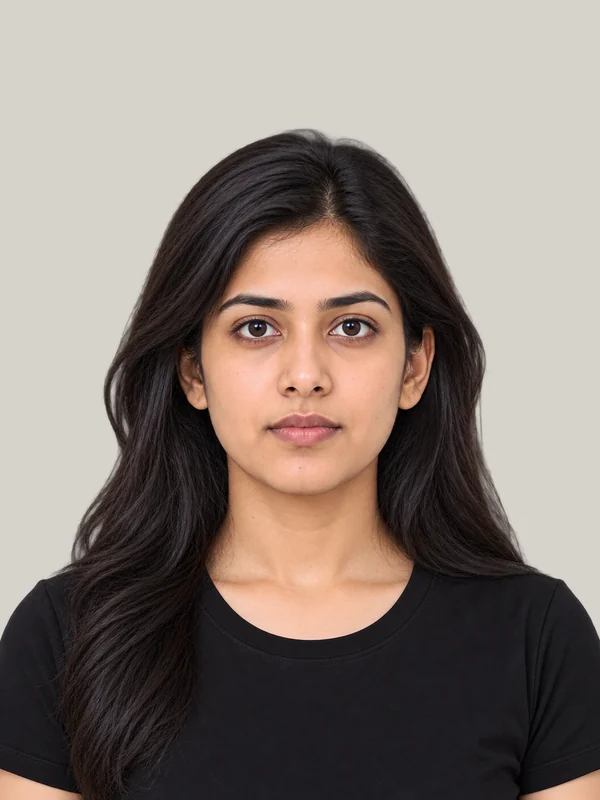
All drawn to the same scale. Same photo, six rules: the size, how big the head is, and the background all change.
| Rule | Size | Head | Background |
|---|---|---|---|
| US passport | 2 × 2 in | 25–35 mm | White |
| UK passport | 35 × 45 mm | 29–34 mm | Any light colour |
| Indian passport | 35 × 45 mm | 32–36 mm (international standard) | White |
| Chinese passport | 33 × 48 mm | 28–33 mm | White |
| French passport & ID card | 35 × 45 mm | 32–36 mm | Light blue |
| Canadian passport | 50 × 70 mm | 31–36 mm | White |
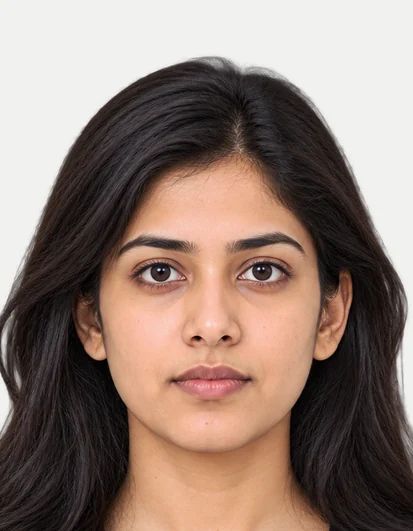
UK passport photo
Resizing mistakes
Each one made on purpose from our models, beside the fix. The tool above is built to stop every one.


Typing 600 × 600 into an ordinary resizer squeezes a tall photo into a square: the face comes out a third wider.
Crop to the new shape instead. The box keeps your face as it is.
US rule: 2 × 2 in

Shrinking the whole photo to 35 × 45 mm keeps too much body. The head is 23 mm; the rule asks for 32–36.
Zoom the box in until the head fills the guide ovals.


Cropping too tight cuts the hair. Officers want the whole head, crown to chin, with room above.
Leave space above the hair: the guide shows where the crown goes.


A small photo (a screenshot, an old upload) blown up to 413 × 531 px looks soft and blocky. Forms refuse it.
Start from your phone's original. The tool warns you when it has to enlarge.


“Fit” keeps the whole photo by adding bars. On a passport photo they look like a border, and borders are refused.
Use “Crop to fill” for documents. Keep “Fit” for posts and listings.

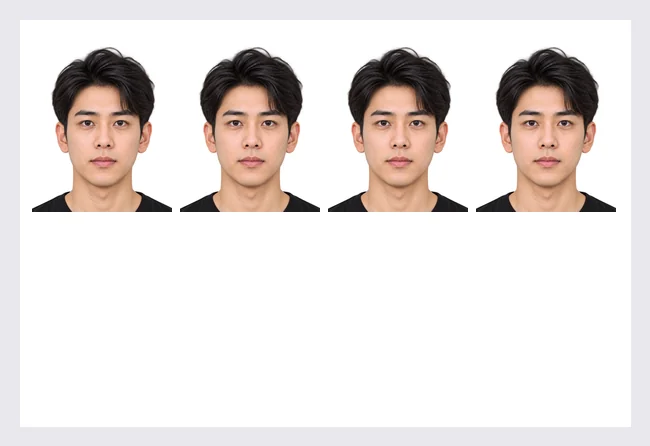
A 413 × 531 px photo saved as 72 DPI tells the printer it is 146 × 187 mm. The print shop prints a giant face.
Our files carry the DPI inside them: 413 × 531 at 300 DPI prints at exactly 35 × 45 mm.
Questions
Short answers, worked out from the official rules. Every country's size has its own page with the full rule and its source.
Ask us a questionDrop your photo in the tool above. Pick what it's for (a passport, a visa) or type a size in pixels, mm, cm or inches. Drag the box to choose what's kept, then download. The file comes out at exactly that many pixels, with the DPI written inside it.
413 × 531 pixels at 300 DPI, the print standard (827 × 1063 at 600 DPI). In other units it is 3.5 × 4.5 cm or 1.38 × 1.77 in. It is the most common photo size in the world: 52 countries use it.
600 × 600 pixels at 300 DPI, and 5.08 × 5.08 cm (50.8 × 50.8 mm). It is the US passport and visa size, used by 12 countries.
2 × 2 in (51 × 51 mm), with the head 25–35 mm from chin to the top of the hair. For printing that is 600 × 600 pixels at 300 DPI. See the full US passport photo rule.
Printed: 35 × 45 mm (1.38 × 1.77 in), head 29–34 mm. Online: at least 600 × 750 px, 50 KB – 10 MB. See the full UK passport photo rule.
35 × 45 mm (1.38 × 1.77 in), head 32–36 mm. For online forms: at least 240 × 320 px, up to 120 KB. See the Schengen visa photo rule.
DPI (dots per inch) tells a printer how big to print the pixels. 413 × 531 pixels at 300 DPI prints at 35 × 45 mm; the same pixels marked 72 DPI print at 146 × 187 mm. Online forms look at pixels and KB; printers look at DPI. Our files carry the DPI inside them, so both read them right. See the mistake.
Keep the lock on to change the size and keep the shape: type a width and the height follows. For a new shape (a square, 35 × 45 mm), the tool crops instead of stretching: you drag the box to choose what's kept. Or pick “Fit whole photo” to add a border instead.
Switch the unit to cm or in above the size boxes and type your size. The pixels are worked out from the DPI (300 unless you change it), and shown below the boxes. The size converter shows any size in every unit.
Yes. Pick a form with a file-size limit and the tool meets it, or tick “Also keep it under … KB”. If the pixels can't fit that many KB, use Reduce photo size, which picks the pixels for you.
Make your photo, then tap “Get the print-ready pack”: the background is made white and you get 4 × 6 and A4 pages at real size with cut lines: 8 photos of 35 × 45 mm on a 4 × 6 in print (2 of 2 × 2 in), with 3 mm margins so printers don't cut them. Print at 100% (“actual size”), then check the 10 mm line with a ruler.
Making it smaller keeps it sharp: the tool shrinks in steps, the way photo editors do. Making it bigger than the original can't add detail, so the tool tells you when it has to enlarge, and by how much. Start from your phone's original photo, not a screenshot.
No. The resizer runs in your browser: your photo never leaves your device. The new file also leaves out the hidden camera data (like GPS location) the original may carry. Free, with no sign-up and no watermark.
More free tools
Each tool is free, with no sign-up and no watermark.
Any size from 20 KB to 1 MB, many at once.

Clean white or any colour, sharp hair edges.
A form's exact KB and pixels, without blur.


Signature or thumb on paper, crisp upload.
 Head size
Checks a passport, visa or exam photo against its official rule.
Your country's size set for you, the head where it belongs, and the DPI inside the file. On your device, free.