Skip to content
PicOkayPicOkay

Live photo coach

Your passport photo, right the first time.

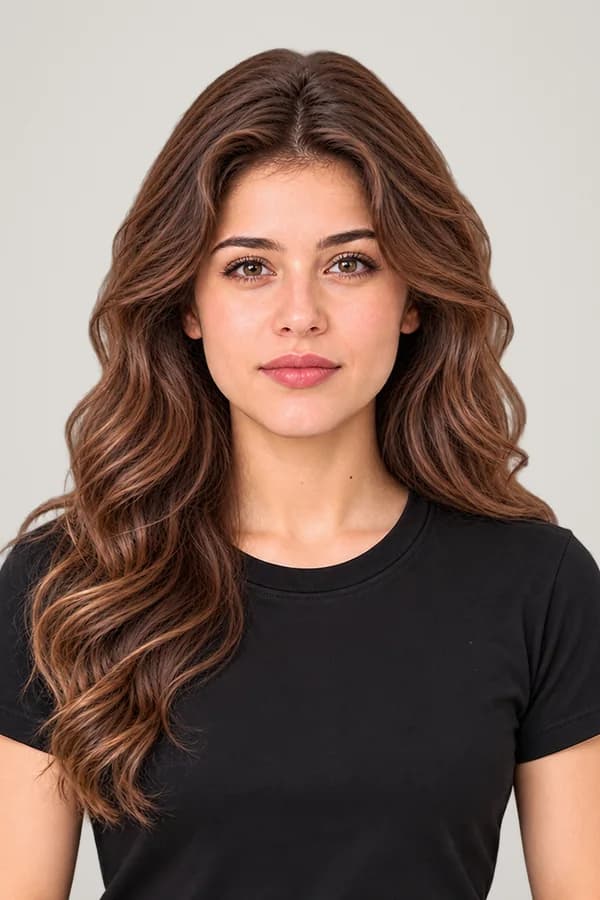
A coach on your phone that watches as you line up and says one thing at a time: closer, chin up, take off your glasses, face the light. When everything is right, it takes the photo by itself. Then we check it against the official rule and make your files.

  • Works on your phone
  • No app needed
  • Runs on your device

How to take a passport photo with your phone

Three steps, a few minutes, at home. No studio, no queue, no retakes to pay for.

  1. 1

    Stand by a plain wall

    Face a window for soft, even light, with a light, plain wall behind you. Hold the phone at eye level, or prop it up.

  2. 2

    The coach guides you

    One instruction at a time, in your own left and right: closer, chin up, turn a little. The frame turns green when you're right.

  3. 3

    We check and fix it

    Your photo is checked against the official rule. Size, crop and, where allowed, the background are fixed. You get ready-to-use files.

What the coach checks live

The same measurements our photo checker uses, with the same limits, run on your phone while you line up. So when the coach says ready, the check agrees.

  • DistanceYour head the size the rule asks for
  • CentredFace in the middle, room above the head
  • Head straightNo turn, nod or tilt
  • Eyes openBlinks ignored, closed eyes caught
  • Neutral faceMouth closed, no smile, where required
  • GlassesSpotted, when your document bans them
  • Even lightNot too dark, no shadow on one side
  • Plain wallWhere the office won't allow a new background
  • StillWaits until you're steady, then takes it
  • Only youNo one else in the picture

Private by design

The coach runs on your phone. Nothing is uploaded while you line up.

  • The face guidance runs on your device, from our own site
  • You choose when one photo is sent to be checked
  • Checked, then deleted. Never sold, never used to train

On a computer?

Scan the code with your phone, take the photo there, and it appears on the computer by itself, end-to-end encrypted.

  1. 1Scan the code
  2. 2Tap the link
  3. 3Take your photo

Works for 215 documents in 154 countries

Choose yours: the coach opens with that document’s own rules, its head size, eye line and background.

Photo booth or the live coach?

A correct photo from anywhere, without going to a studio.

A photo booth or studio compared with the PicOkay live coach
WhatPhoto booth or studioPicOkay live coach
TimeTravel there, wait your turnA few minutes, at home
RetakesOften paid for each new tryFree, as many as you need
WhereOnly at the booth or studioAnywhere, on your own phone
The rulesDepends on who takes itYour document's official rule, source linked
You getPrinted photosA checked photo; files, print sheet and Proof if you want them

Questions about the live coach

Is the live photo coach free?
Yes. The coach and the check against your document's rule are free, as many times as you like. You pay only if you want the finished, ready-to-use files (the exact size and file, a print sheet and the Proof report).
Do I need to install an app?
No. The coach runs in your phone's browser: Safari, Chrome, Samsung Internet, Edge or Firefox. Open the page, allow the camera, and it starts.
Is my photo uploaded while I line up?
No. The face guidance runs on your phone itself; the camera picture never leaves it while you line up. Only when you tap “Use this photo” is that one photo sent to be checked, and it is deleted after use.
Which documents does it work for?
154 passports, 20 visas, 8 ID and residence cards and 24 exam photos, across 154 countries. Each uses its own official rule: head size, eye line, background and more. Find yours in the photo rules.
Can I use it on a computer?
Yes. On a computer we show a QR code: scan it, take the photo on your phone with the coach, and it appears on the computer by itself, end-to-end encrypted. No phone? You can use the computer's own camera.
What if my photo still doesn't meet the rules?
The check tells you exactly what is wrong and why. Many things are fixed for you (size, crop, a tilted head and, where the office allows it, the background). For the rest, the coach helps you retake it.
Will my photo be accepted?
We check your photo against the rule the office publishes, with the source linked and the date we last checked it. The final decision is always the office's own, so no one can promise acceptance; a photo that meets every published rule has the best chance.
Does it work for babies and children?
The live coach is made for people who can face the camera and hold still. For a baby, upload a photo instead and tell us it's a child: the check uses the rule's own allowances for children.

Ready to take a photo that passes?

Let the live coach guide you, then get your ready-to-use files in minutes.

Start the live coach
  • Works on your phone
  • Official rules, sources linked
  • Private and secure