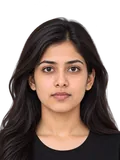





Compress image
Any size from 20 KB to 1 MB, many at once.


People with every hair kept, products, pets. Then make it white for a passport, ready for Amazon, eBay, Etsy or any colour you like, in one tap.
Drop a photo to remove its background
People, products, pets · or paste it (Ctrl+V) · JPG, PNG or WebP up to 25 MB
Background
Passports, visas and most listings
Size and frame
File type
Background colour by country
159 passport, visa, ID, exam and marketplace rules in 108 countries. 106 of them accept white, but not all: some refuse it. Find yours, then tap Use this to set the tool above.
 U.S. passportwhite or off-white
 UK passportany light colour, cream or light grey
 Canadian passportwhite or any light colour
 Indian passportwhite
 French passport & ID cardlight blue or light greyNot white or off-white
White is not always right.
These 3 rules refuse a white background, so a “standard” white photo is rejected: French passport & ID card (light blue or light grey), Luxembourg passport (any light colour) and New Zealand visa (any light colour).
159 rules shown
| # | Country / place | Document | Background accepted | Also | Checked | Action |
|---|---|---|---|---|---|---|
| 1 | United States | Passport photo |
|
| ||
| 2 | United States | Visa photo |
|
| ||
| 3 | United Kingdom | Passport photo |
|
| ||
| 4 | Canada | Passport photo |
|
| ||
| 5 | India | Passport photo |
|
| ||
| 6 |  Australia | Passport photo |
|
| ||
| 7 | Schengen area | Visa photo |
|
| ||
| 8 |  Germany | Passport & ID photo |
|
| ||
| 9 | France | Passport & ID card photo |
Not white or off-white |
| ||
| 10 |  China | Visa photo |
|
| ||
| 11 | India | OCI card photo |
|
| ||
| 12 |  United Arab Emirates | Visa photo |
|
| ||
| 13 |  New Zealand | Passport photo |
|
| ||
| 14 |  Ireland | Passport photo |
|
| ||
| 15 |  Luxembourg | Passport photo |
Not white |
| ||
| New Zealand | Visa photo |
Not white |
| |||
 Saudi Arabia | e-Visa photo |
|
| |||
| India | NEET (UG) photo |
|
| |||
 Afghanistan | Passport photo |
|
| |||
 Algeria | Passport photo |
|
| |||
 Andorra | Passport photo |
|
| |||
 Antigua and Barbuda | Passport photo |
|
| |||
 Armenia | Passport photo |
|
| |||
 Austria | Passport photo |
|
| |||
 Azerbaijan | Passport photo |
|
| |||
 Bahamas | Passport photo |
|
| |||
 Bahrain | Passport photo |
|
| |||
 Bangladesh | E-passport photo |
|
| |||
 Barbados | Passport photo |
|
| |||
 Belarus | Passport photo |
|
| |||
 Belgium | Passport photo |
|
| |||
 Belize | Passport photo |
|
| |||
 Benin | Passport photo |
|
| |||
 Bhutan | Passport photo |
|
| |||
 Bolivia | Passport photo |
|
| |||
 Botswana | Passport photo |
|
| |||
 Brazil | Passport photo |
|
| |||
 Chad | Passport photo |
|
| |||
| China | Passport photo |
|
| |||
 Colombia | Passport photo |
|
| |||
 Croatia | Passport photo |
|
| |||
 Cuba | Passport photo |
|
| |||
 Denmark | Passport photo |
|
| |||
 Djibouti | Passport photo |
|
| |||
 Dominica | Passport photo |
|
| |||
 Dominican Republic | Passport photo |
|
| |||
 Egypt | Passport photo |
|
| |||
 El Salvador | Passport photo |
|
| |||
 Eritrea | Passport photo |
|
| |||
 Estonia | Passport photo |
|
| |||
 Ethiopia | Passport photo |
|
| |||
 Fiji | Passport photo |
|
| |||
 Finland | Passport photo |
|
| |||
 Greece | Passport photo |
|
| |||
 Grenada | Passport photo |
|
| |||
 Guyana | Passport photo |
|
| |||
 Hong Kong | Passport photo |
|
| |||
 Iran | Passport photo |
|
| |||
 Iraq | Passport photo |
|
| |||
 Israel | Passport photo |
|
| |||
 Italy | Passport photo |
|
| |||
 Jamaica | Passport photo |
|
| |||
 Japan | Passport photo |
|
| |||
 Jordan | Passport photo |
|
| |||
 Kuwait | Passport photo |
|
| |||
 Lebanon | Passport photo |
|
| |||
 Liberia | Passport photo |
|
| |||
 Lithuania | Passport photo |
|
| |||
 Malaysia | Passport photo |
|
| |||
 Mali | Passport photo |
|
| |||
 Malta | Passport photo |
|
| |||
 Marshall Islands | Passport photo |
|
| |||
 Monaco | Passport photo |
|
| |||
 Mongolia | Passport photo |
|
| |||
 Morocco | Passport photo |
|
| |||
 Myanmar | Passport photo |
|
| |||
 Namibia | Passport photo |
|
| |||
 Nauru | Passport photo |
|
| |||
 Nepal | E-passport photo |
|
| |||
 Netherlands | Passport & ID card photo |
|
| |||
 Nigeria | Passport photo |
|
| |||
 Pakistan | Passport photo |
|
| |||
 Papua New Guinea | Passport photo |
|
| |||
 Paraguay | Passport photo |
|
| |||
 Poland | Passport photo |
|
| |||
 Qatar | Passport photo |
|
| |||
 Russia | International passport photo |
|
| |||
 Saint Kitts and Nevis | Passport photo |
|
| |||
 Saint Lucia | Lucian passport photo |
|
| |||
| Saudi Arabia | Passport photo |
|
| |||
 Singapore | Passport & ICA photo |
|
| |||
 Slovenia | Passport photo |
|
| |||
 Solomon Islands | Passport photo |
|
| |||
 South Africa | African passport photo |
|
| |||
 South Korea | Korean passport photo |
|
| |||
 Spain | Passport photo |
|
| |||
 Sri Lanka | Lankan passport photo |
|
| |||
 Syria | Passport photo |
|
| |||
 Taiwan | Passport photo |
|
| |||
 Tajikistan | Passport photo |
|
| |||
 Trinidad and Tobago | Passport photo |
|
| |||
 Tunisia | Passport photo |
|
| |||
 Türkiye | Passport photo |
|
| |||
 Turkmenistan | Passport photo |
|
| |||
 Tuvalu | Passport photo |
|
| |||
 Ukraine | Passport for travelling abroad photo |
|
| |||
| United Arab Emirates | Passport photo |
|
| |||
 Uruguay | Passport photo |
|
| |||
 Uzbekistan | Biometric passport photo |
|
| |||
 Vanuatu | Passport photo |
|
| |||
 Vietnam | Passport photo |
|
| |||
 Yemen | Passport photo |
|
| |||
 Zimbabwe | Passport photo |
|
| |||
| Australia | Visa photo |
|
| |||
| Canada | Visitor visa photo |
|
| |||
| India | e-Visa photo |
|
| |||
| India | Regular (paper) visa photo |
|
| |||
| Japan | Visa photo |
|
| |||
 Kenya | ETA photo |
|
| |||
| Malaysia | e-Visa photo |
|
| |||
 Oman | e-Visa photo |
|
| |||
| Russia | Visa photo |
|
| |||
| Singapore | Visa photo |
|
| |||
| South Korea | Korean visa photo |
|
| |||
 Thailand | e-Visa photo |
|
| |||
| Vietnam | e-Visa photo |
|
| |||
| Canada | Citizenship application photo |
|
| |||
| Canada | Permanent resident (PR) card photo |
|
| |||
| Germany | ID card (Personalausweis) photo |
|
| |||
| India | PAN card photo |
|
| |||
| Spain | National ID (DNI) photo |
|
| |||
| United States | Diversity Visa (DV lottery) entry photo |
|
| |||
| India | CLAT 2027 photo |
|
| |||
| India | CTET photo |
|
| |||
| India | CUET (PG) photo |
|
| |||
| India | CUET (UG) photo |
|
| |||
| India | GATE 2027 photo |
|
| |||
| India | IAF Agniveervayu photo |
|
| |||
| India | IBPS PO/MT photo |
|
| |||
| India | IIT JAM 2027 photo |
|
| |||
| India | India Post GDS online engagement photo |
|
| |||
| India | Indian Army Agniveer (CEE & rally) photo |
|
| |||
| India | Indian Navy Agniveer (SSR/MR) photo |
|
| |||
| India | JEE (Main) photo |
|
| |||
| India | Joint CSIR-UGC NET photo |
|
| |||
| India | KVS / NVS teaching & non-teaching recruitment photo |
|
| |||
| India | LIC AAO photo |
|
| |||
| India | MHT-CET 2026 (PCM & PCB) photo |
|
| |||
| India | NABARD Grade A photo |
|
| |||
| India | RBI Assistant photo |
|
| |||
| India | SBI Junior Associate photo |
|
| |||
| India | UGC-NET photo |
|
| |||
| India | UPSC exams photo |
|
| |||
| Amazon | Main product image |
|
| |||
| eBay | Listing photo |
|
| |||
| noon | Primary product image |
|
| |||
| Shopee | Mall cover image |
|
| |||
| Walmart | Marketplace main image |
|
| |||
| Zalando | Packshot |
|
|
Showing 1–15 of 159
Real results
Curly hair, fur, a mug handle, dark on dark, two people at once. Each one cut out by our engine, not retouched. Pick one, drag the line, and try any background on it.


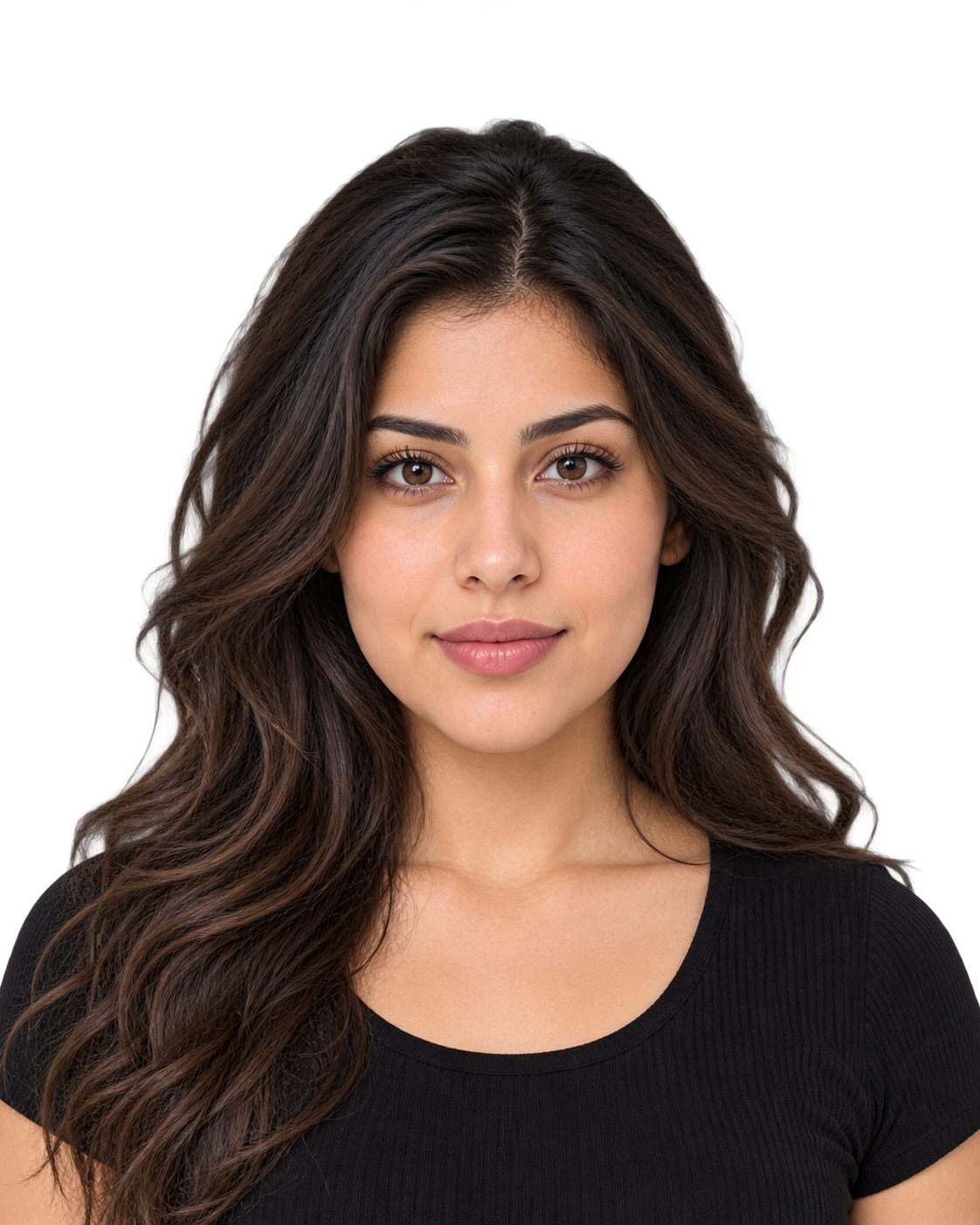
Portrait · cut out as a person
The hard part: Black hair and a black t-shirt against a dark wooden wall.
Look at: Hair and shoulders separate cleanly from a wall of almost the same colour.
Background mistakes
Each one made from the photos above, beside the fix. The rules are the real ones, linked.
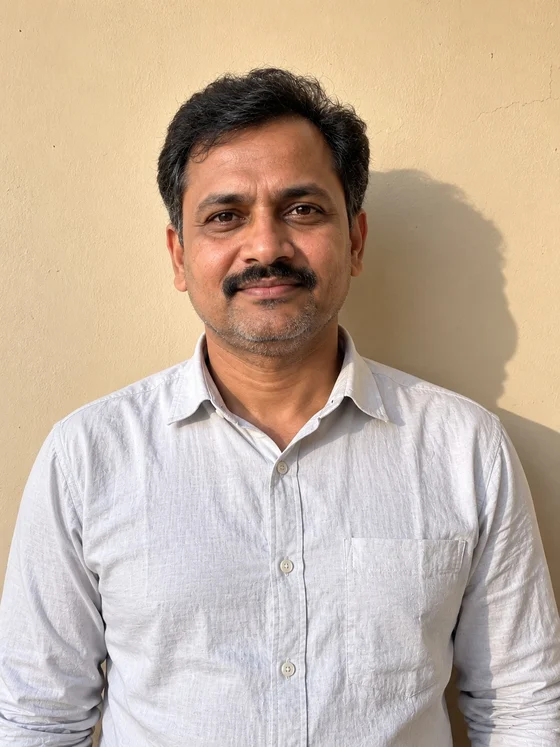
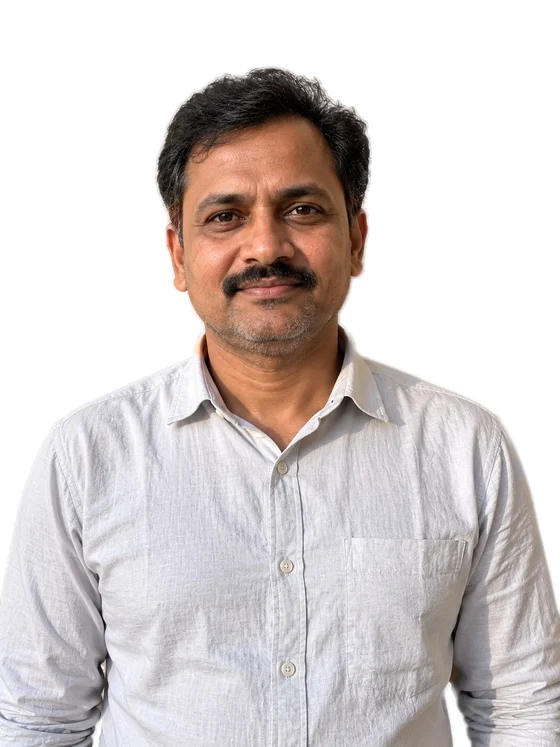
Standing close to a wall at home puts your shadow right behind you. Forms refuse shadows.
Removing the background takes the shadow with it, onto clean white.
41 rules forbid shadows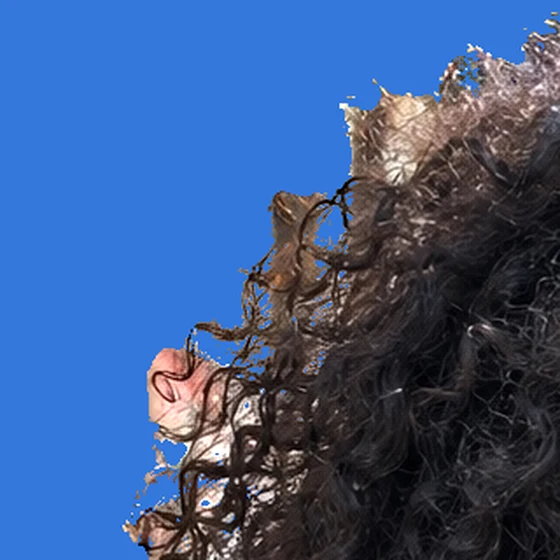
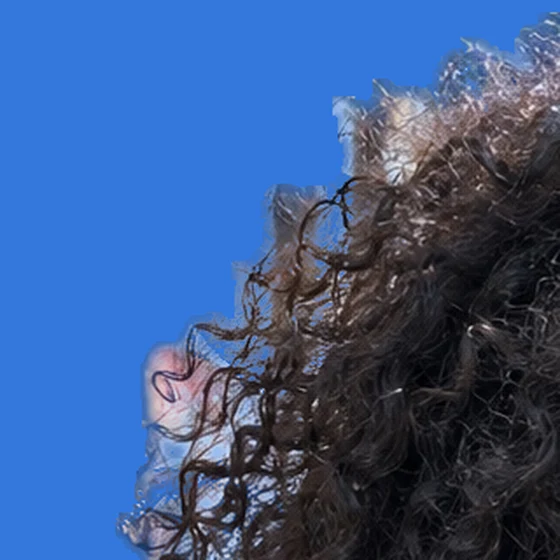
Hard on-or-off edges turn soft curls into a jagged block.
See-through edges keep each curl, as it was.


JPG can't be see-through. Save a cut-out as JPG without a background and the empty part turns black.
Pick a colour for JPG, or keep it see-through as PNG. The tool switches for you.
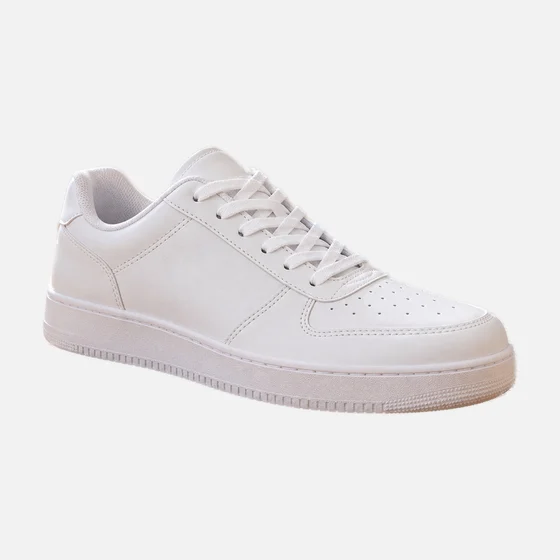
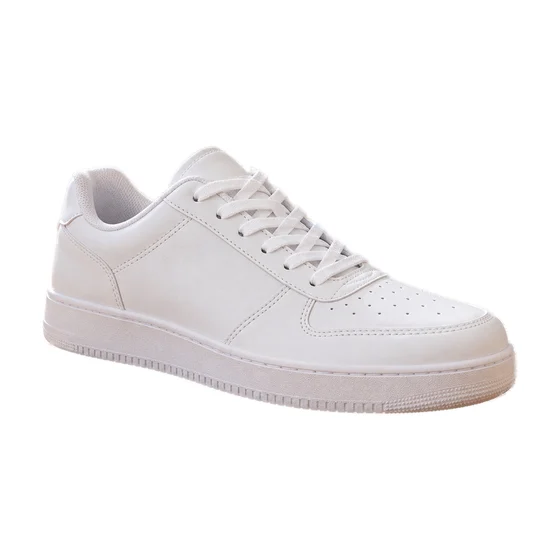
RGB 242, 242, 242 looks white, but Amazon asks for pure white: 255, 255, 255.
Pick White: every background pixel is exactly 255, 255, 255.
Amazon's rule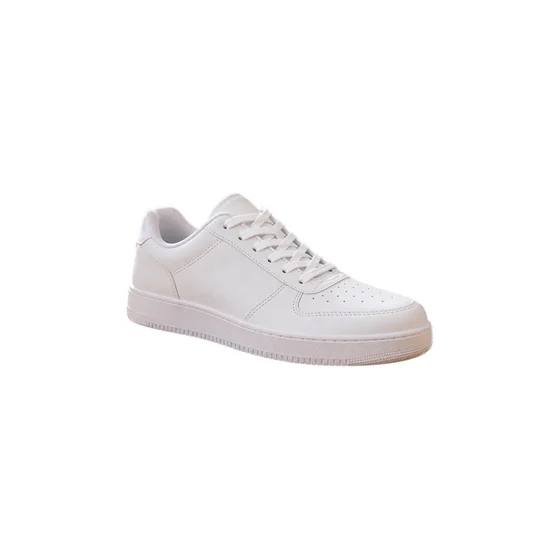
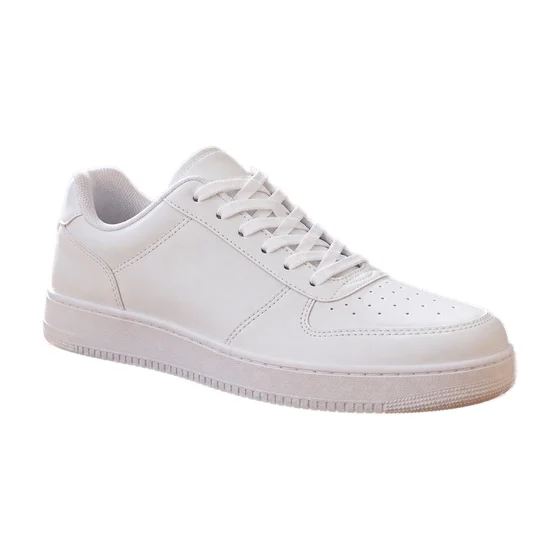
The shoe fills 55% of the frame. Amazon wants it to fill at least 85%.
“Ready for… Amazon” centres it at 85% on a pure white square.
Amazon's rule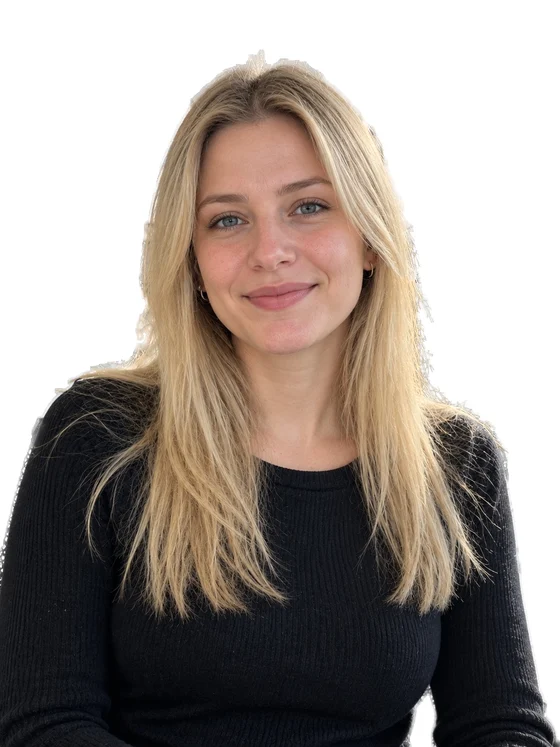

France refuses white and off-white backgrounds, so a “standard” white photo is turned down.
Light blue is accepted. “Use this” in the table sets it in one tap.
France's ruleQuestions
Short answers. Every country's background rule has its own page with the full rule and its source.
Ask us a questionDrop your photo in the tool above, or paste it with Ctrl+V. In a few seconds the background is gone. Then pick transparent, white or any colour, and download a JPG, PNG or WebP. No sign-up and no watermark.
Remove the background, then choose White. Every background pixel becomes pure white (255, 255, 255), with no grey left from the old wall. For a passport or visa, check your country first: 106 rules accept white, but some refuse it.
White or off-white, with no shadows and one even colour. See the full US passport photo rule.
Any light colour, cream or light grey, in a colour that stands out from your face and hair, with no shadows. See the full UK passport photo rule.
In our rules: French passport & ID card (light blue or light grey), Luxembourg passport (any light colour) and New Zealand visa (any light colour). Use the colour they ask for instead: “Use this” in the table sets it for you.
Yes. Remove the background, choose Ready for… Amazon, and the product is centred on a pure white 2000 × 2000 px square, filling 85% of the frame as Amazon's rule asks. eBay, Etsy, Walmart and others have presets too. Amazon's rule.
Yes. Choose Transparent and download a PNG or WebP: the background is see-through, ready for slides, designs and stickers. JPG can't be see-through, so the tool switches to PNG for you.
Yes. Blue, red, light grey, off-white and black are one tap each, and the colour wheel gives any colour. Changing colour is instant: the photo isn't sent again.
Yes: people with fine or curly hair, pets with fur, and products, even the hole in a mug handle. See eight hard photos with their real results. The cleanest results come from a sharp photo where the subject stands out from the background.
Usually the photo is blurry, small, or the subject is almost the same colour as the background. Try a sharper photo with more light, or if the tool guessed wrong, use “Try as a person / an object” under the picture. See six common mistakes.
Your photo is sent securely to our server only to cut it out, then deleted. It isn't kept or used for anything else. Colours, frames and file types are made in your browser. It is free, with no sign-up and no watermark.
More free tools
Each tool is free, with no sign-up and no watermark.
Any size from 20 KB to 1 MB, many at once.
Exact pixels, cm, mm or inches.
A form's exact KB and pixels, without blur.

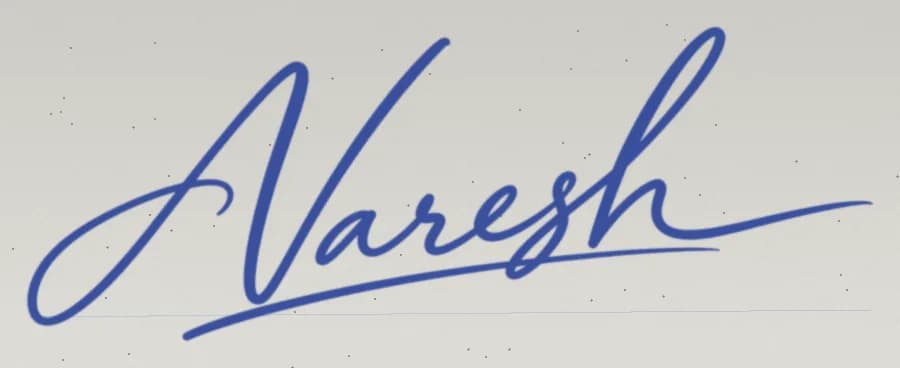
Signature or thumb on paper, crisp upload.
 Head size
Checks a passport, visa or exam photo against its official rule.
White for your passport, pure white for Amazon, or any colour you like. Free, and deleted right after.