

The Proof report
Know your photo passes, before you submit it.
Every photo you buy from PicOkay comes with a signed report: each check against the official rule, where the rule comes from, a print guide, and a QR code anyone can scan to see it's genuine. Here is a real one, in full.
- Included with every photo
- Signed, can't be faked
- No photo kept by us
 Sample
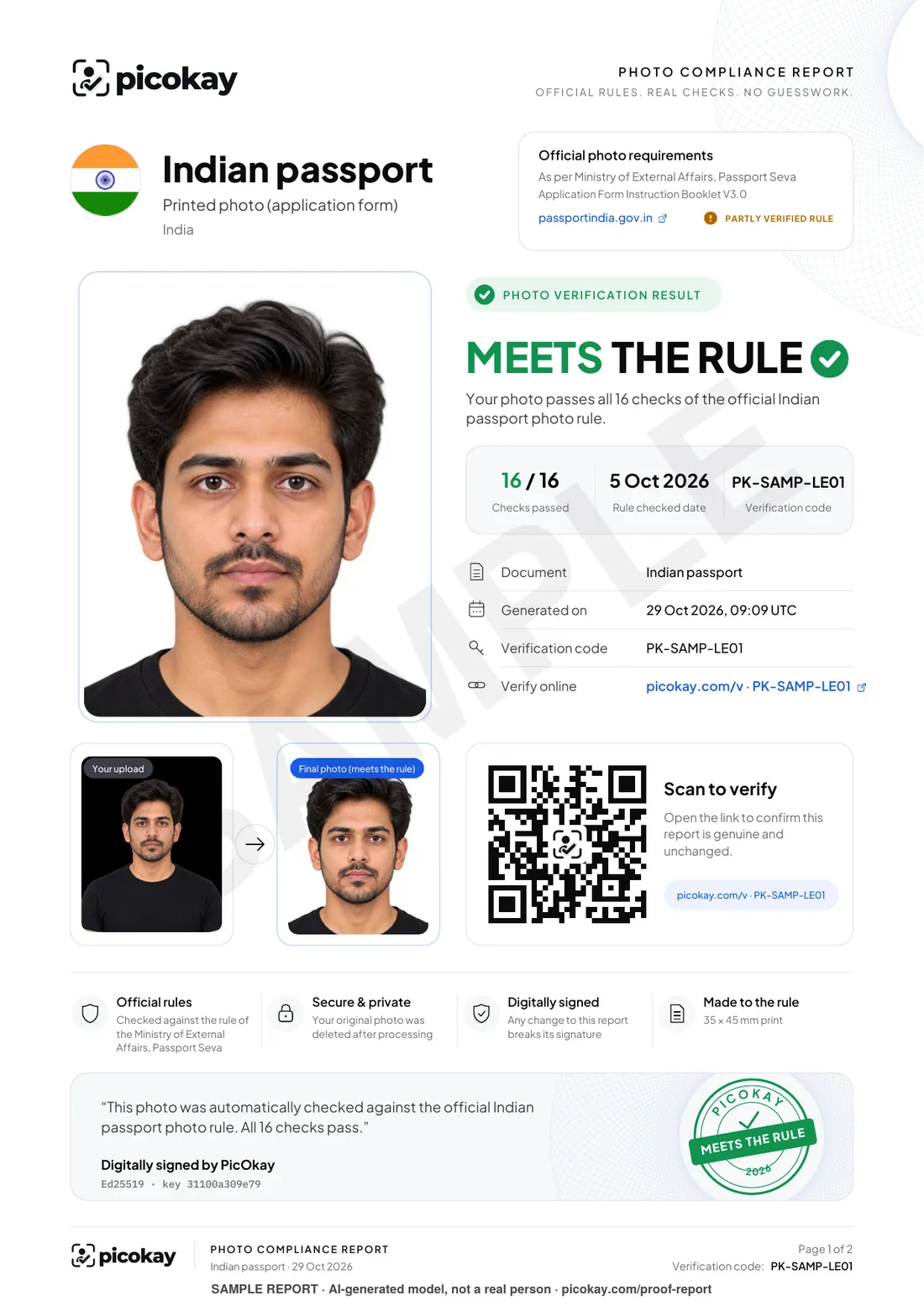
Page 1: the answer and the proof
Everything someone needs at a glance. Numbers match the list.
- 1The answer, in one lineMeets the rule, or exactly what doesn't. No guessing.
- 2Every check counted16 of 16 checks of the official rule passed.
- 3The official sourceWhich government rule was used, its link, and how sure we are of it.
- 4Before and afterThe photo you gave us beside the finished one.
- 5A QR code anyone can scanIt opens a page that confirms the report is genuine and unchanged.
- 6Digitally signedChange one letter and the signature no longer matches.
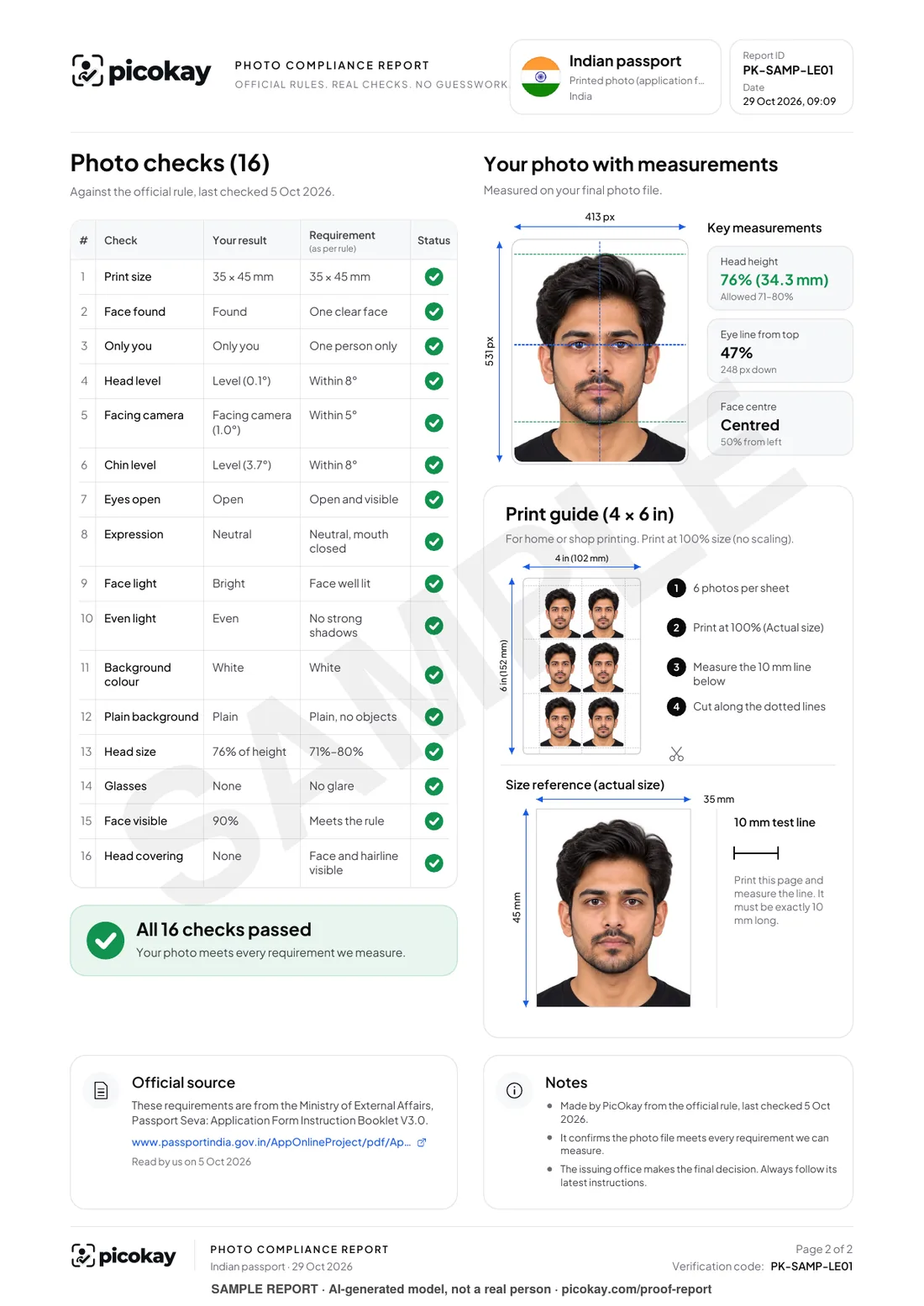
Page 2: every check, measured
The detail behind the answer, and a guide to print it right.
- 7Your result, rule by ruleWhat we measured beside what the rule asks, for every check.
- 8Measured on your photoHead height, eye line and centring, drawn on the finished photo.
- 9A print guide with a 10 mm linePrint, measure the line, and you know the size came out right.
Anyone can check it's real, in seconds
No account, no app. The photo never leaves their device.
- Step 1
Scan the QR code
With any phone camera, or open the link printed under it.
- Step 2
See it's genuine
The page confirms PicOkay signed it, which rule, when, and how many checks passed.
- Step 3
Match the photo
Drop the photo file on the page: it's compared in the browser, never uploaded.
Try it: the sample's QR code opens this page; a real report opens its own check.Verify a report
Submit with confidence
No more hoping the studio got it right. You see every rule, checked, before the form goes in.
Backed by our promise
If an office rejects a photo we made, send us their message within 30 days for a free remake or your money back.
Refund policyKeep it for next time
Renewing, or applying for a visa that uses the same rule? The report shows what was done and when.
Questions about the Proof report
Is the Proof report an official document?
No. It is PicOkay's signed record of how your photo was checked against the official rule. Only the office that receives your photo can accept it; the report shows them, and you, exactly what was checked.
Do I have to show it to anyone?
No. Most people keep it for themselves: for peace of mind, to re-apply later, or in case a photo is ever questioned. You can show it at a counter or to a studio if you like.
How does someone check that it's real?
They scan the QR code, or open the link under it. The page says if the report is genuine and unchanged, and they can drop the photo file on it to see that it's the same photo. The photo is compared in their browser and never uploaded.
Does the report contain my photo?
Your copy does, because it's your file. We keep nothing: the photo is deleted after processing, and the signed code only holds the photo's fingerprint, which can't be turned back into a picture.
What if an office rejects a photo that has a Proof report?
Send us their message within 30 days and choose a free remake or your money back. The report shows exactly what was checked, which makes that quick.
Is this sample a real report?
It was made by the same engine, from one of our AI-generated models, for the Indian passport rule. It is marked SAMPLE and its QR code opens this page, so it can never pass for a real one.
Get your own Proof.
Make your photo with us. Once it passes, your files come with a report like this one, made for your document.