

 OCI online application
OCI photo rejected?
Here's why, and how to fix it.
The OCI online application is strict about the file: square, the right pixels, small enough, JPG only. And its own FAQ asks for a plain light background that is not white, which catches many people out. Here is each rule, with the exact number, and a free way to fix it.
- Free check, no sign-up
- Photo deleted after use
- Pay only when it passes
What the OCI online application checks
Official rulePixels
200 × 200 to 900 × 900 px
Photo file
up to 200 KB · JPG
Background
Plain light colour, not white
Checked 12 Nov 2026 · Ministry of Home Affairs, Government of India (OCI Services)
4 reasons it gets rejected
Why your OCI online application photo was rejected
Go down the list. Each one shows the official rule, and whether we fix it for you or you need a quick retake.
- 1
Not square
Rule: Height and width equal, 200 × 200 to 900 × 900 px
The OCI portal takes only square photos. A phone photo is taller than it is wide.
We fix thisWe crop it to a square around your face, at the right pixels.
- 2
Background too white
Rule: Plain light colour, not white
The OCI portal's own FAQ asks for a plain light background that is not white, and no border.
We check thisWe check the background and tell you if it's too white. A light grey wall works well.
- 3
File too big, or too small
Rule: up to 200 KB · JPG
Photos straight from a phone are usually several MB. The portal only takes files inside its limit.
We fix thisWe save it inside the limit, without making it blurry.
- 4
Background not plain
Rule: Light grey, off-white, cream or light blue
Shadows, patterns, a coloured wall or things behind you make it fail.
We check thisWe check it and tell you exactly what to change. A plain wall and soft daylight fix most cases.
Fix it in about a minute
No studio, no app to install. See your finished photo first, and your photo is deleted after use.
Make my photoStep 1
Upload the rejected photo
Or take a new one with the live coach, which frames you for the rule as you go.
Step 2
We check every rule
Each OCI online application rule is checked against your photo, for free. You see what passes and what we fix.
Step 3
Download the exact file
The right pixels, size and file type, ready to upload. You pay only when it passes.
Common mistakes
Why India OCI card photos get rejected.
Every photo here is the same person. Only one thing changes.
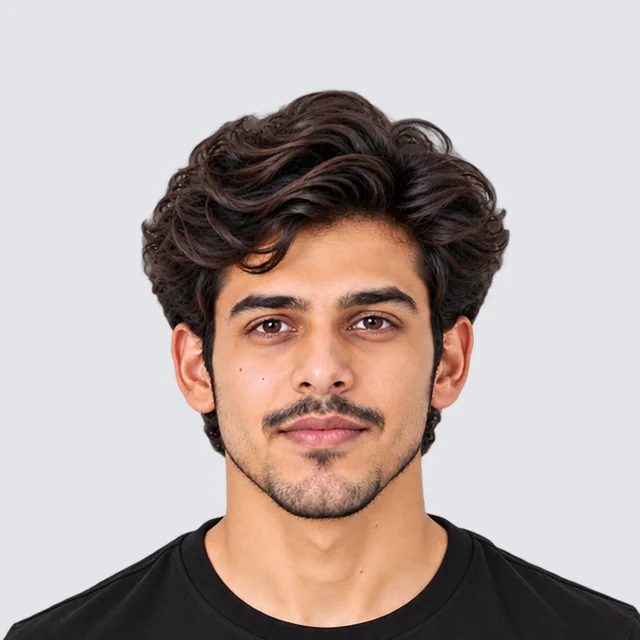
Accepted
Meets the official rules for India OCI card photos.
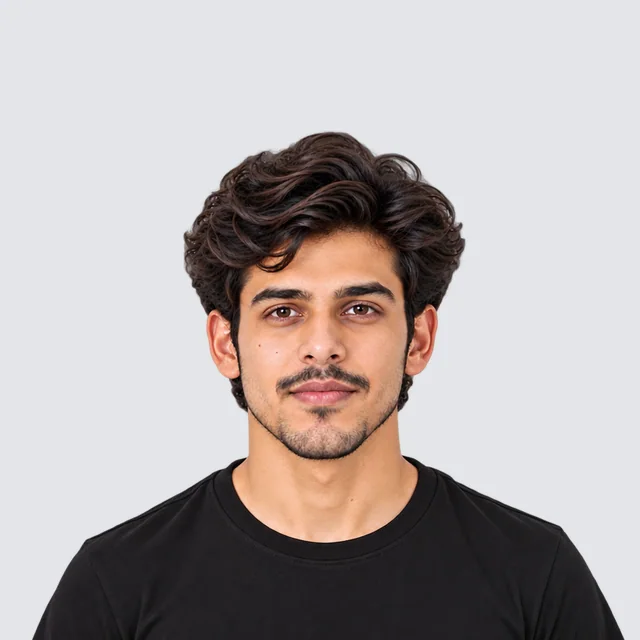
Rejected: Head too small
The head should be 32–36 mm (63–71% of the photo), the ICAO standard. This one is 26 mm.
Fix: We crop it to the right size.
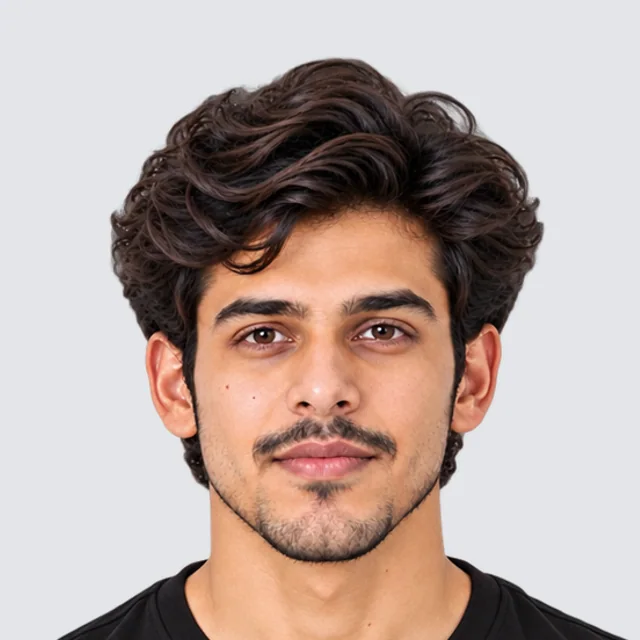
Rejected: Head too big
The head should be 32–36 mm (63–71% of the photo), the ICAO standard. This one is 40 mm.
Fix: We resize it to the right size.
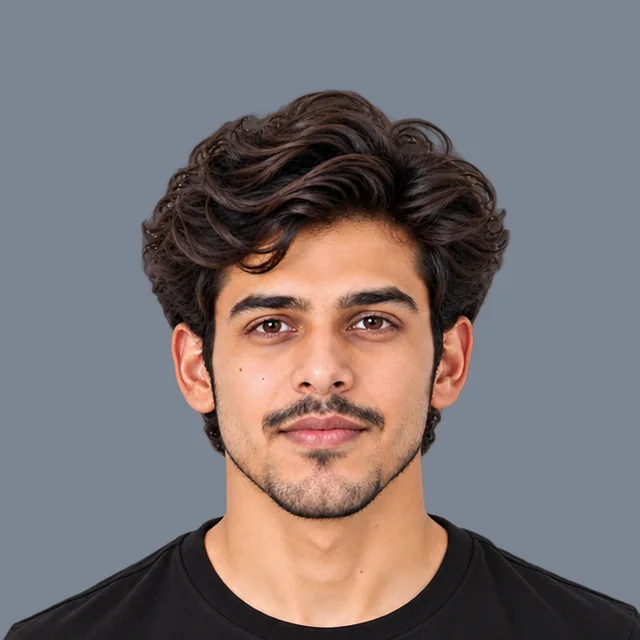
Rejected: Wrong background colour
The background must be light grey, off-white, cream or light blue. This one is dark grey.
Fix: We change it to a light grey background.

Rejected: Busy background
The background must be plain light grey, off-white, cream or light blue, with no objects.
Fix: We remove it and make it plain light grey.
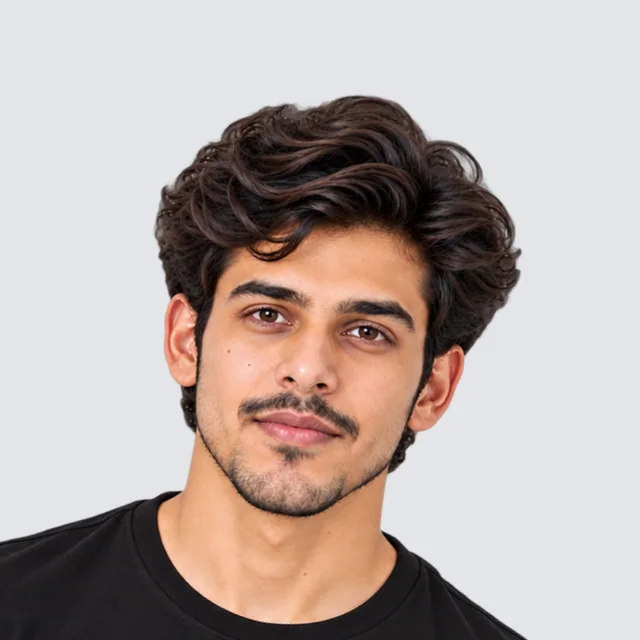
Rejected: Tilted head
The head must face the camera and be level.
Fix: We straighten small tilts. A big tilt needs a retake.
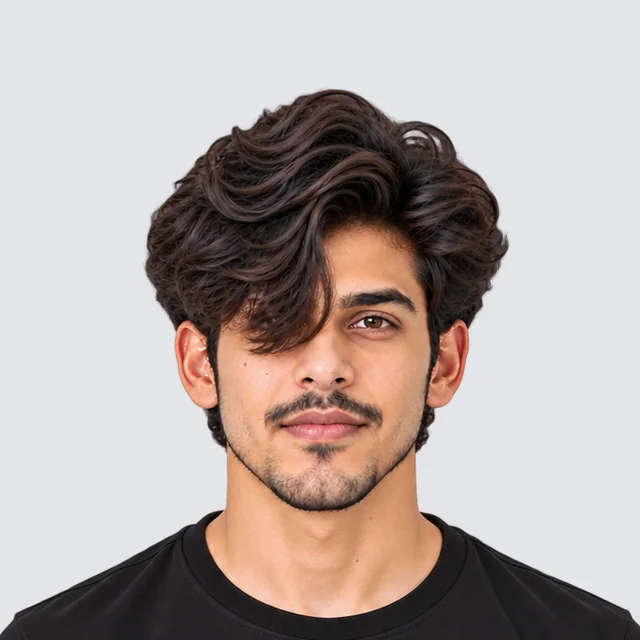
Rejected: Hair over eyes
Both eyes must be clearly visible, not covered by hair.
Fix: Move your hair off your face and retake.
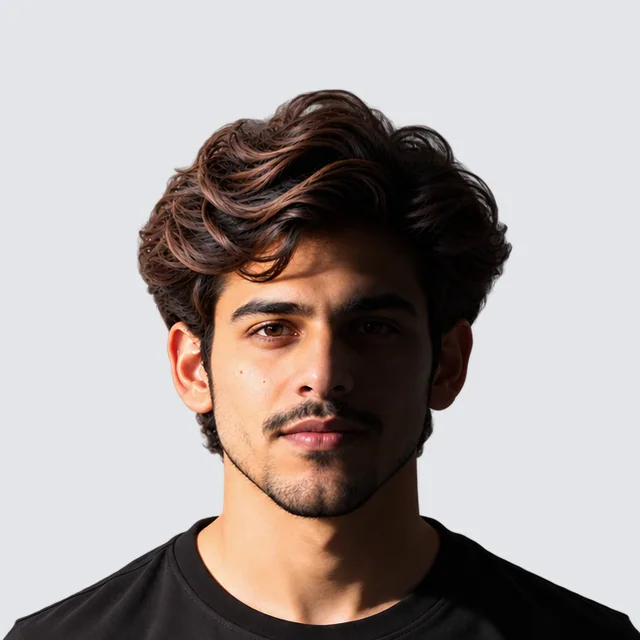
Rejected: Shadow on face
The face must be evenly lit, with no shadows.
Fix: Face a window or soft light and retake.

Rejected: Blurry photo
The photo must be sharp and in focus.
Fix: Retake it in good light, holding still.
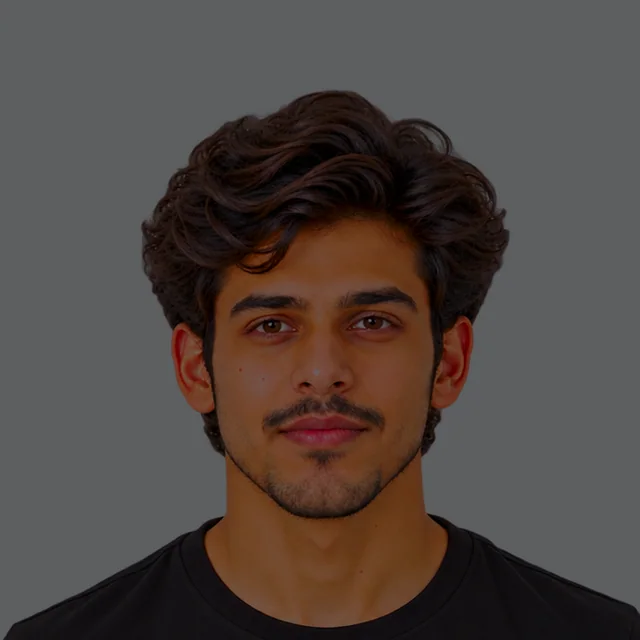
Rejected: Too dark
The face must be bright and clear, with natural skin tones.
Fix: We balance the light. A very dark photo needs a retake.
Does yours have any of these? We fix them for you.
We'll check it against the official India OCI card rules.
Questions people ask
What size is the OCI photo?
Square, between 200 × 200 and 900 × 900 pixels, a JPG of 200 KB or less. For the printed photo, at least 51 × 51 mm.
Can the OCI photo have a white background?
The official OCI portal FAQ says a plain light colour background, not white, without a border. Light grey is a safe choice.
What about the signature?
The signature image must also be a JPG of 200 KB or less.
Can you trust this page?
Every detail is read from the sources below. We show you the sources, the dates and what's still being confirmed.
Your photo is checked against this exact rule (checked )
Status
Fully checked
Every number on this page is read from an official source.
Last checked
Next check
By At least every 3 months
- Fully checked · every number official(this page)
- Mostly checked · a few details open
- Reference only · a guide, confirm it
PicOkay is independent, not a government site. Who we are
What we checked for India
Every source for this rule is official (3).
Sources
3Ministry of Home Affairs, Government of India (OCI Services) · ociservices.gov.in
UploadBackgroundFace and poseReadEmbassy of India, Paris · eoiparis.gov.in
UploadPrint sizeBackgroundFace and poseReadEmbassy of India, Asuncion · eoiasuncion.gov.in
UploadPrint sizeBackgroundFace and poseRead
Open questions (4)
Details we're still confirming with the official sources. We don't hide them.
The official OCI website says: square, 200–900 px, JPG, up to 200 KB, plain light background that is not white.
One embassy page says white, but the official OCI website says not white. We follow the OCI website: light grey or another plain light colour.
'80% face coverage' is stated without saying how to measure it, so we don't force it.
No minimum file size, glasses, expression or photo-age rules are stated.
Why we show this. Saying what we don't know helps you make the right photo, and lets you trust the rest.
Rule history
When we checked this rule, and every real change.
Checked
Read against 3 sources.
At every check, we:
- Open every source listed on this page again.
- Compare each number and rule on this page with it.
- Update the page and add any change to this history.
No changes recorded
We'll check it again by , and at least every 3 months. When an office changes its rule, we update this page and note it here.
Report a mistake
Something wrong, or a newer official rule? Tell us and we'll check it.