

Fast · Free · No sign-up
Compress image to 20 KB
Get any photo or signature under 20 KB in one second, sharp enough for the form that asked for it. Free, many at once, and your images never leave your device.
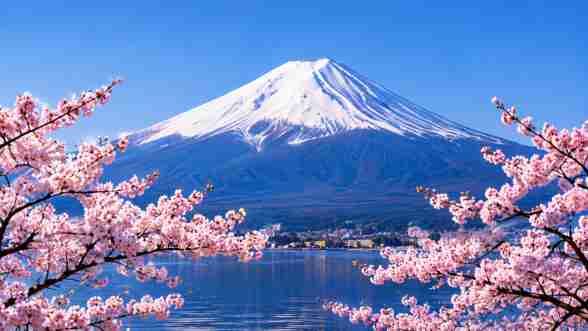 3.0 MB → 18 KBA real photo, made with this tool−99%
- In seconds30 at once
- PrivateNothing uploaded
- FreeNo watermark
Make each image smaller than
Saved as JPG, which every website and form accepts. For a visa, passport or exam form, pick your form to get its pixels right too.
- Sharp resultsThe clearest picture that fits
- In secondsMany images at once
- 100% privateNothing uploaded or stored
- FreeNo watermark, no sign-up
How to compress an image to 20 KB
Add your image above: the tool is already set to 20 KB. It finds the sharpest picture that still fits, saves it as a JPG of 20,000 bytes or less, and you tap Download. Add several images and each one comes out under 20 KB.
Before you upload, check two things most compressors never mention:
- The minimum. Some forms reject a file that is too small. If yours says 20 to 50 KB, a file under 20 KB fails: aim for about 30 KB instead. The table further down shows every minimum we know.
- The pixels. Many exam forms also set a width and height, like 200 × 230 px. If yours does, use the form photo sizer, which gets the KB and the pixels right together.
Who asks for a 20 KB image?
Job and exam applications
Government, bank and university forms often cap the photo at 20 to 50 KB.
Signatures and thumb prints
Most forms want the signature smaller than the photo, often 10 to 20 KB.
Some visa portals
A few e-visa forms set a small limit: 50 KB for Vietnam, 20 to 35 KB for Russia.
Old upload systems
Some school, payroll and hospital portals still set very small upload limits.
Profile pictures
Some forums, email signatures and staff directories keep pictures tiny.
Email and chat
A 20 KB image sends instantly on any connection and never fills an inbox.
What does a 20 KB image look like?
Smaller than you might think, and clearer. In our tests, a 12-megapixel phone photo compressed to 20 KB keeps roughly 400 to 700 pixels on its long side: plenty for a face on a form, though too small to print.
Signatures do even better. Dark ink on white paper has little detail to store, so 20 KB holds a large, crisp signature.
Busy backgrounds cost bytes. A plain wall behind you leaves more of the 20 KB for your face, so the photo looks sharper at the same size.
Is 20 KB 20,000 bytes or 20,480?
It depends on the website, and they don't say. Some count 1 KB as 1,000 bytes, others as 1,024. So we always make the file 20,000 bytes or less, which passes both ways. Your phone may show it as “20 KB” or “19 KB”: both are fine.
Official forms with a 20 KB limit
Limits this small are most common on exam and bank forms in India, so most rows are Indian. Visa forms elsewhere usually allow far more: up to 240 KB for a US visa, 3 MB for New Zealand. Every limit is from the form's official rules, re-checked by us. 13 of them reject a file that is too small, which most compressors never tell you. For any form here, the form photo sizer sets its exact minimum, maximum and pixels for you.
| Upload | Size allowed | Pixels | A 20 KB file? |
|---|---|---|---|
| IBPS PO/MTIndia · Signature · checked 8 Oct 2026 | 10 – 20 KB | 140 × 60 px | Yes |
| LIC AAOIndia · Signature · checked 8 Oct 2026 | 10 – 20 KB | 140 × 60 px | Yes |
| NABARD Grade AIndia · Signature · checked 8 Oct 2026 | 10 – 20 KB | 140 × 60 px | Yes |
| RBI AssistantIndia · Signature · checked 8 Oct 2026 | 10 – 20 KB | 140 × 60 px | Yes |
| SBI Junior AssociateIndia · Signature · checked 8 Oct 2026 | 10 – 20 KB | 140 × 60 px | Yes |
| SSC exams liveIndia · Signature · checked 8 Oct 2026 | 10 – 20 KB | Any | Yes |
| CTETIndia · Signature · checked 8 Oct 2026 | 3 – 30 KB | Any | Yes |
| UGC-NETIndia · Signature · checked 8 Oct 2026 | 10 – 30 KB | Any | Yes |
| Russian visaRussia · Photo · checked 7 Oct 2026 | 20 – 35 KB | 450 × 600 px | No: it needs at least 20 KB |
| RRB railway recruitment (CEN) liveIndia · Signature · checked 8 Oct 2026 | 30 – 49 KB | At least 140 × 60 px | No: it needs at least 30 KB |
| India PAN cardIndia · Photo · checked 7 Oct 2026 | Up to 50 KB | Any | Yes |
| Vietnam e-visaVietnam · Photo · checked 7 Oct 2026 | Up to 50 KB | Any | Yes |
| CUET (PG)India · Signature · checked 8 Oct 2026 | 10 – 50 KB | Any | Yes |
| CUET (UG)India · Signature · checked 8 Oct 2026 | 10 – 50 KB | Any | Yes |
| Indian Navy Agniveer (SSR/MR)India · Photo · checked 8 Oct 2026 | 10 – 50 KB | Any | Yes |
| Joint CSIR-UGC NETIndia · Signature · checked 8 Oct 2026 | 10 – 50 KB | Any | Yes |
| IBPS PO/MTIndia · Photo · checked 8 Oct 2026 | 20 – 50 KB | 200 × 230 px | No: it needs at least 20 KB |
| IBPS PO/MTIndia · Thumb print · checked 8 Oct 2026 | 20 – 50 KB | 240 × 240 px | No: it needs at least 20 KB |
| India Post GDS online engagementIndia · Signature · checked 8 Oct 2026 | 20 – 50 KB | 300 × 120 px | No: it needs at least 20 KB |
| LIC AAOIndia · Photo · checked 8 Oct 2026 | 20 – 50 KB | 200 × 230 px | No: it needs at least 20 KB |
| LIC AAOIndia · Thumb print · checked 8 Oct 2026 | 20 – 50 KB | 240 × 240 px | No: it needs at least 20 KB |
| NABARD Grade AIndia · Photo · checked 8 Oct 2026 | 20 – 50 KB | 200 × 230 px | No: it needs at least 20 KB |
| NABARD Grade AIndia · Thumb print · checked 8 Oct 2026 | 20 – 50 KB | 240 × 240 px | No: it needs at least 20 KB |
| RBI AssistantIndia · Photo · checked 8 Oct 2026 | 20 – 50 KB | 200 × 230 px | No: it needs at least 20 KB |
| RBI AssistantIndia · Thumb print · checked 8 Oct 2026 | 20 – 50 KB | 240 × 240 px | No: it needs at least 20 KB |
| SBI Junior AssociateIndia · Photo · checked 8 Oct 2026 | 20 – 50 KB | 200 × 230 px | No: it needs at least 20 KB |
| SBI Junior AssociateIndia · Thumb print · checked 8 Oct 2026 | 20 – 50 KB | 240 × 240 px | No: it needs at least 20 KB |